MLTMS

Features

Everything ML TMS does today, from planning to invoice. One tool for the office, the drivers and your clients.

01

Planning & dispatch

Build multi-stop trips and assign truck, driver and trailer. You see where every trip stands. When a client calls with a change, you re-plan without starting over.

  • Multi-stop trips
  • Truck / driver / trailer assignment
  • Real-time trip status
  • Re-planning
Planning & dispatch
Screenshot: trip planning
02

Driver app

The driver follows stops one by one. Without signal the app keeps working, and everything syncs when the signal returns.

  • iOS and Android
  • Offline mode, automatic sync
  • Stop-by-stop guidance
  • PIN login
  • Kiosk mode for shared phones
Screenshot: current stop
03

Electronic proof of delivery

The consignee signs on the phone. Photos and reserves are attached to the right delivery note, with time and position. In a dispute, you have the proof.

  • Signature
  • Photos
  • Configurable reserve reasons
  • Proof per delivery note
  • Timestamp and position
Screenshot: signature and reserves
04

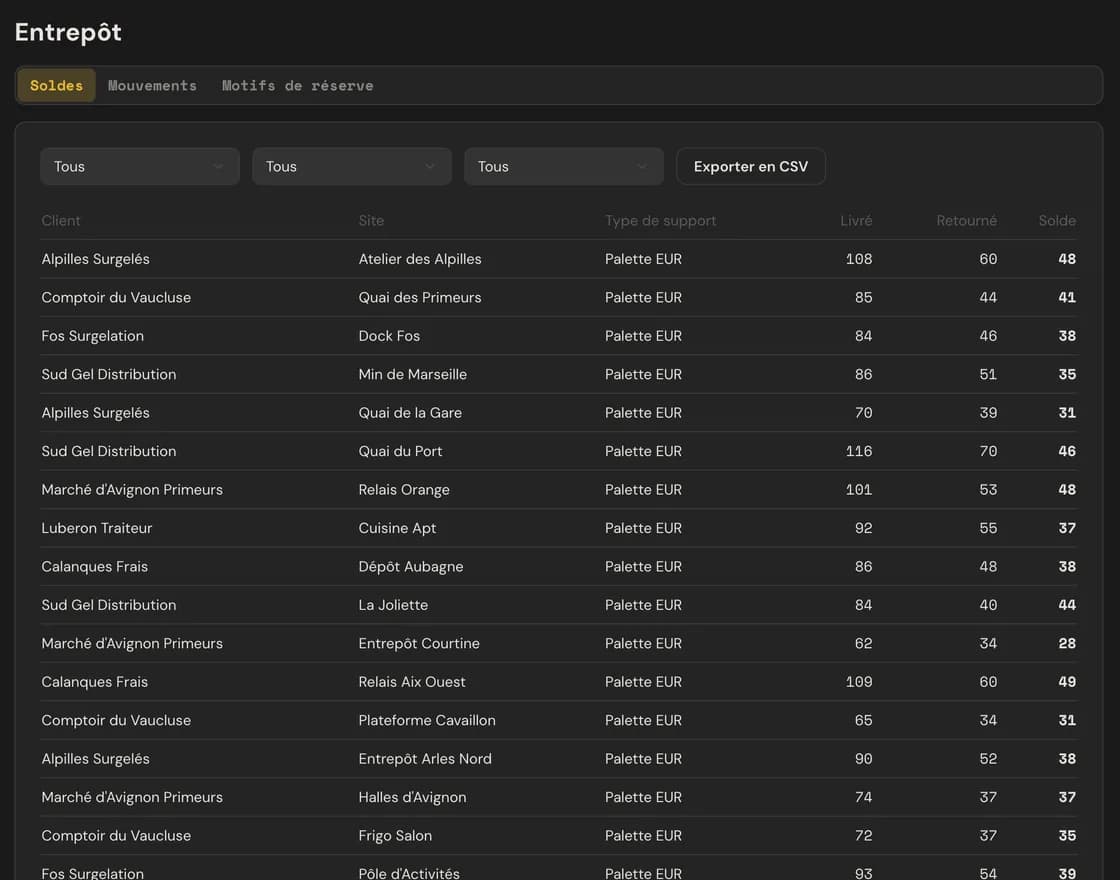
Pallets & supports

Supports exchanged are recorded at every stop. You know what each site and each client owes you.

  • Supports exchanged per stop
  • Balances per site and per client
Pallets & supports
Screenshot: support balances
05

Temperature

The driver records the temperature at every stop and the reading stays attached to the delivery. With the ML TMS kit, tracking is continuous.

  • Reading at every stop
  • History per delivery
  • Continuous tracking with the kit
Refrigerated transport
Temperature
Screenshot: temperature history
06Pro plan

Client portal

Your clients track their deliveries live and download their proofs themselves. They no longer need to call you.

  • Live delivery tracking
  • Proof of delivery download
  • History
07

Freight invoicing

A completed delivery becomes an invoice. Fuel surcharge indexation and VAT are applied.

  • Invoices from completed deliveries
  • Fuel surcharge indexation
  • VAT
08Pro plan

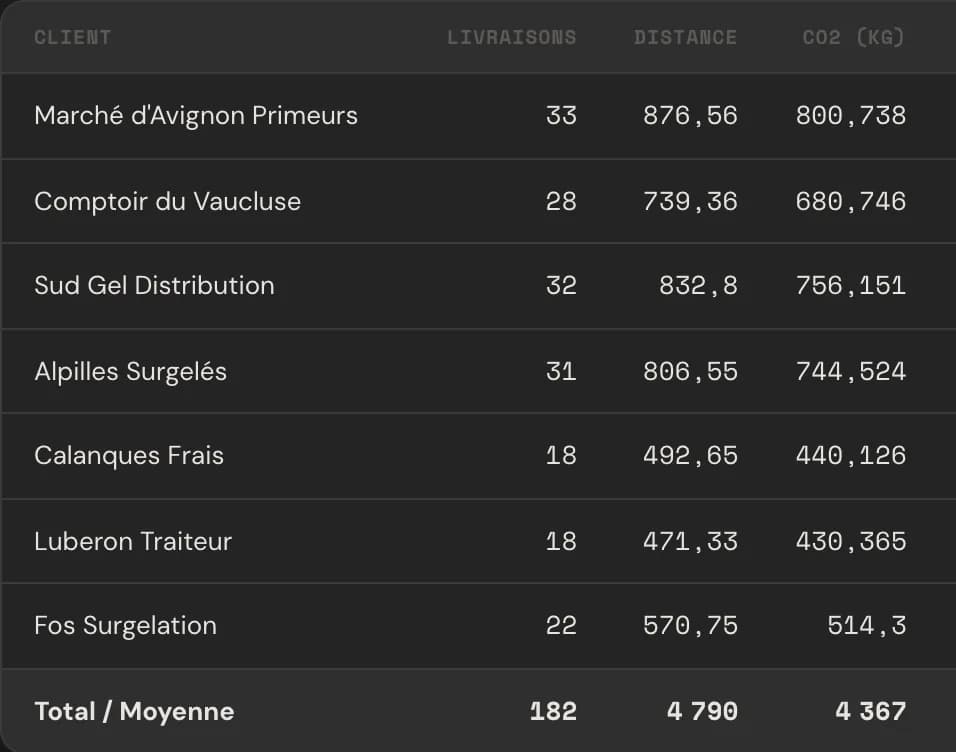
CO₂ reporting

CO₂ is calculated for every trip and every client. You have the figure when a shipper asks for it.

  • CO₂ per trip
  • CO₂ per client
CO₂ reporting
Screenshot: CO₂ reporting

See ML TMS on your own trips.

Book a demo